Disclosure: As an Amazon Associate, OfficialToddlerTech earns from qualifying purchases. This does not affect the price you pay.
If you are comparing coding toys for kids in 2026, the best choice usually comes down to more than “which one teaches coding.” Parents also need to think about age fit, how much setup is involved, whether a screen is required, and how likely the toy is to stay interesting after the first few uses. That is where a careful, feature-based comparison helps.
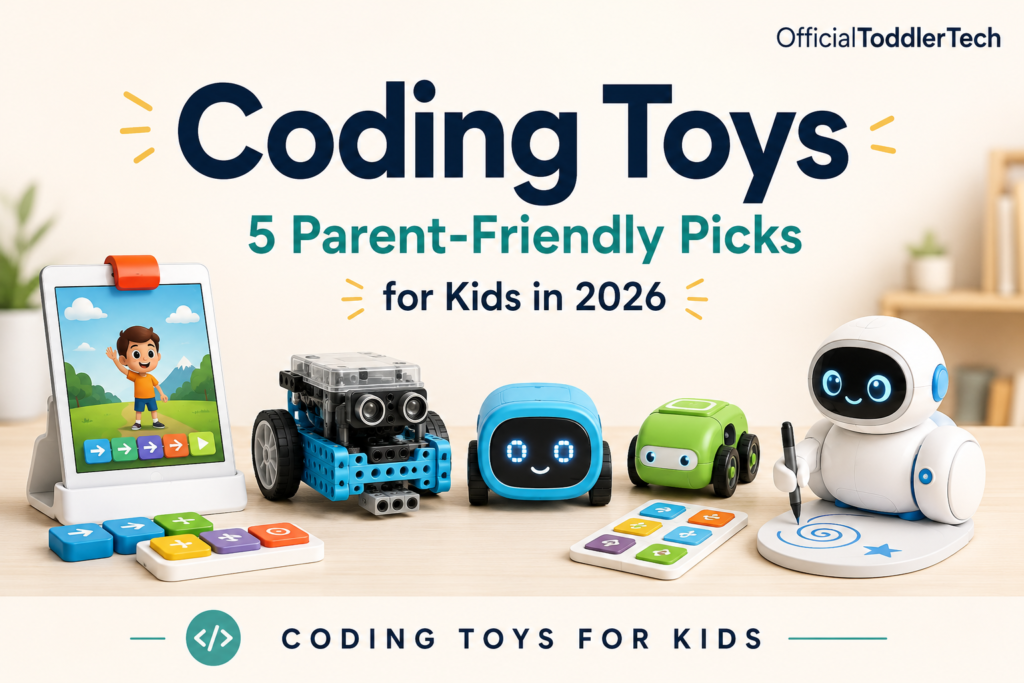
This roundup focuses on five coding toys that take different approaches: screen-free robots, build-and-code kits, a tablet-based starter set, and a creative drawing robot. None is perfect for every child, and that is the point. The right pick depends on whether your child responds better to buttons, building, visual feedback, open-ended play, or drawing.
Coding Toys For Kids In 2026: What Parents Should Compare
Quick Picks
Here is the shortest version of the comparison if you want a fast starting point.
- Best overall for tactile learning: Osmo Coding Starter Kit for iPad
- Best screen-free beginner robot: Learning Resources Botley the Coding Robot 2.0
- Best premium screen-free open-ended option: Sphero indi Student Kit
- Best for builders and older beginners: Makeblock mBot Robot Kit
- Best for creative kids: Educational Insights Artie 3000 Coding and Drawing Robot
Each of these has a different strength, and each has a tradeoff. A toy that is simple enough for a younger child may not keep an older child challenged, while a more advanced kit may need too much setup for a family that wants quick play after dinner.
Comparison Table
| Product | Best for | Age range | Setup style | Main tradeoff |
|---|---|---|---|---|
| Osmo Coding Starter Kit for iPad | Visual learners, tactile coding on iPad | 5–10+ | Requires compatible iPad | Not fully screen-free |
| Makeblock mBot Robot Kit | Building and growing skills | 8–12 | Assembly plus software setup | More adult help needed |
| Learning Resources Botley the Coding Robot 2.0 | Screen-free beginners | 5+ | Ready-to-use buttons | Limited coding depth |
| Sphero indi Student Kit | Open-ended maze play | 4+ | Screen-free with optional app | Premium choice |
| Educational Insights Artie 3000 Coding and Drawing Robot | Creative coding and drawing | 7+ | Needs device connection | More setup and calibration |
Detailed Reviews
1. Osmo Coding Starter Kit for iPad
The Osmo Coding Starter Kit for iPad is a strong option for families that already have a compatible iPad and want a hands-on way to introduce coding ideas. It uses physical coding blocks that interact with on-screen games, which can make sequences, loops, patterns, and problem-solving feel more concrete for children who learn best by moving pieces around rather than tapping through menus.
Why parents may consider it: This kit combines tactile play with visual feedback, and it includes Coding Awbie, Coding Jam, and Coding Duo for more variety than a single-purpose toy. The fact that normal gameplay does not require Wi-Fi may also make it easier to use in places where connectivity is inconsistent.
Key strengths:
- Physical pieces help beginners understand coding concepts in a tangible way
- Multiple games add variety and can support more than one type of challenge
- Can work for solo play or shared problem-solving with an adult or sibling
- Progressive challenges may help children move from simple to more complex ideas
Important limitations: It requires a compatible iPad that is not included, so the real cost and setup depend on what your family already owns. It is also more screen-based than unplugged coding toys, and the small pieces need organized storage to avoid getting lost.
Buy this if: you already own a compatible iPad and want tactile coding activities with clear visual feedback.
Skip this if: you do not own a compatible iPad or prefer a fully screen-free coding experience.
2. Makeblock mBot Robot Kit
The Makeblock mBot Robot Kit is the most build-oriented choice in this group. It combines a metal chassis, block coding through mBlock, and support for Arduino programming, which gives it more room to grow than a basic beginner robot. For children who like assembling things and then making them move, that combination can be especially appealing.
Why parents may consider it: This is a good fit for older beginners who want more than a simple push-button toy. It can introduce mechanical assembly, electronics, and coding in one project, and its expansion compatibility suggests room for future experiments.
Key strengths:
- Combines building, electronics, and coding in one kit
- Can progress from block coding toward Arduino concepts
- Multiple driving modes add play value beyond the initial setup
- Expandable platform may help it stay relevant as skills grow
Important limitations: It requires more adult help than simpler coding toys, especially during assembly and setup. Robot and remote batteries are not included, and the software setup may feel complex for complete beginners. It is also more demanding than basic screen-free options, so it may frustrate younger children who want instant results.
Buy this if: your child is around the older beginner range and enjoys building as much as coding.
Skip this if: you want a coding toy that works almost immediately with minimal setup.
3. Learning Resources Botley the Coding Robot 2.0
Learning Resources Botley the Coding Robot 2.0 is the most straightforward screen-free starter on this list. It uses push-button coding, sequencing activities, and logic challenges, which makes it a practical option for younger kids who are not ready for an app-driven toy or a more complicated build-and-code kit.
Why parents may consider it: The appeal here is simplicity. Children can start with physical buttons, see the robot respond, and practice sequencing without needing a tablet or phone. That can be helpful for short play sessions, home learning corners, or families trying to keep early coding experiences low-friction.
Key strengths:
- Fully screen-free during normal play
- Simple controls are approachable for beginners
- Encourages sequencing and problem-solving in small steps
- Works well for short independent or parent-guided sessions
Important limitations: Its coding depth is more limited than app-based robots, so children may outgrow the basic activities. It also requires batteries, and the accessory count can vary depending on the Amazon package selected. If your child is already ready for more advanced coding ideas, this may feel too basic.
Buy this if: you want a screen-free first coding toy for a younger child.
Skip this if: you want advanced block coding, Python, or a robot that can grow into more complex programming.
4. Sphero indi Student Kit
The Sphero indi Student Kit sits near the premium end of this list, but its design gives it a different kind of appeal. Instead of beginning with a screen, it uses a color-sensing robot and coded color tiles, with optional drag-and-drop coding in the Sphero Edu Jr app. That makes it useful for families who want a screen-free start with a path to more advanced activities later.
Why parents may consider it: The open-ended maze and puzzle approach can make repeat play more likely, because children can keep changing the layout and testing different solutions. It also introduces computational thinking and sequencing in a way that is very visual and easy to understand.
Key strengths:
- Screen-free play comes first, with an optional app layer later
- Color tiles make cause and effect easy to observe
- Custom maze building supports open-ended use
- Approachable for younger beginners who like physical play
Important limitations: It is a premium choice compared with simpler coding robots, so it may not be the best value if you mainly want a basic beginner toy. It works best on smooth hard floors rather than thick carpet, and the included learning materials may feel classroom-oriented to some families. Parents should also confirm current seller availability before making assumptions about buying options.
Buy this if: you want a premium screen-free robot with flexible, open-ended maze challenges.
Skip this if: budget is the main concern or your child will mostly use it on thick carpet.
5. Educational Insights Artie 3000 Coding and Drawing Robot
Educational Insights Artie 3000 stands out because it turns code into drawings. For creative kids who care more about making something visible and personal than driving a robot around, that can be a strong motivator. It supports Blockly, Snap, JavaScript, and Python, so it also has a path from beginner-friendly blocks to more advanced text-based coding.
Why parents may consider it: This toy connects coding with art, which may be a better fit for children who like drawing or visually seeing the result of their work. The built-in tutorials and activity cards can help structure the first few sessions without making the toy feel locked into one narrow type of play.
Key strengths:
- Links coding with drawing and creativity
- Offers a progression from block coding to text-based languages
- Does not require an internet connection during use
- Visible results can make the idea of programming easier to grasp
Important limitations: It requires a compatible tablet or computer, and setup may be less intuitive than push-button toys. It also requires four AA batteries. Because paper placement and calibration affect drawing results, parents should expect some adjustment and not assume perfect output every time.
Buy this if: your child is motivated by art, drawing, and visible creative projects.
Skip this if: you want instant screen-free play or do not want to manage device connection, paper, and markers.
How to Choose
When parents compare coding toys for kids in 2026, the best first question is not “Which one is smartest?” It is “Which one will actually fit our home routine and my child’s attention style?” A toy can be educational on paper but still be a poor match if it needs too much setup or if it asks a child to do more than they are ready for.
1. Match the toy to your child’s age and attention span
The age range gives a starting point, but it is not the whole story. Younger children often do better with simple buttons, clear visual results, and short challenges. Older beginners may be ready for assembly, branching activities, or a toy that can move from block coding toward more advanced concepts.
2. Decide how much screen time you want involved
Some families want a fully screen-free experience, at least at the beginning. In that case, Botley 2.0 and Sphero indi are the most direct fits. If a tablet or computer is fine, Osmo and Artie 3000 offer more visual interaction. Makeblock mBot sits in a more advanced middle ground because it is a build-and-code system rather than a simple unplugged robot.
3. Consider setup and storage honestly
Setup is where many gift purchases become household regrets. Kits with small pieces, batteries, calibration steps, or app/device pairing can be rewarding, but they may also require adult attention every time they come out. If you want a toy that can be used quickly between dinner and bedtime, lower-setup options may be more realistic.
4. Think about how long the toy may stay interesting
Basic screen-free robots are often best for introducing coding concepts, but they may not hold a child’s interest forever. Buildable kits, creative drawing systems, and toys with expandable or app-based layers often have more staying power. That said, added depth usually means added complexity, so there is a tradeoff between longevity and simplicity.
5. Be honest about the play environment
Floor surface, available space, and storage matter. Sphero indi works best on smooth hard floors. Artie 3000 needs room for paper and a setup process. Osmo depends on a compatible iPad and small coding pieces. A toy that looks perfect online may be awkward in a cluttered living room or on a thick rug.
Frequently Asked Questions
What makes a coding toy useful for beginners?
A beginner-friendly coding toy usually makes cause and effect obvious. Physical buttons, blocks, or color tiles can help children understand sequencing without having to learn a complex interface first. For many families, that simpler first step is what makes the toy usable rather than overwhelming.
Are screen-free coding toys always better?
Not always. Screen-free toys can be a better fit for families who want less device time or a more hands-on start. But app-based or tablet-connected toys can offer more variety or a longer learning path. The right choice depends on your child and your household routine, not on one format being universally superior.
Which option is best if I want the least setup?
Learning Resources Botley the Coding Robot 2.0 is the most straightforward choice in this roundup. It is designed for screen-free play and does not require a tablet or phone during normal use. Even so, parents still need to account for batteries and the toy’s basic accessory needs.
Which option is best for a child who likes building?
Makeblock mBot Robot Kit is the strongest build-and-code option here. It may appeal more to children who enjoy assembling parts and then testing how their robot behaves. The tradeoff is that it is more involved than simple starter toys.
What is the most creative option?
Educational Insights Artie 3000 Coding and Drawing Robot is the most clearly creative pick because it converts code into drawings. If your child likes art projects or visible results, that connection may make coding feel more meaningful.
How should I choose between Osmo and Botley?
Choose Osmo if you already have a compatible iPad and want tactile blocks with screen feedback. Choose Botley if you want a simpler, screen-free first coding toy and would rather avoid tablet requirements. The better option depends on whether your family prefers interactive screen use or a more unplugged start.
Final Recommendations
The best coding toys for kids in 2026 are the ones that match your child’s current stage, not the ones with the most features on a product page. If you want the easiest screen-free starting point, Learning Resources Botley the Coding Robot 2.0 is the most approachable pick. If your family already has a compatible iPad and wants tactile coding with visual feedback, Osmo Coding Starter Kit for iPad is especially practical.
For children who like building and are ready for a more involved project, Makeblock mBot Robot Kit offers the most growth potential. If you want open-ended screen-free maze play with a premium feel, Sphero indi Student Kit is the strongest fit. And if your child is motivated by drawing or creative output, Educational Insights Artie 3000 Coding and Drawing Robot gives coding a very different kind of payoff.
In other words, the best choice is not the “most advanced” toy. It is the one your child will actually return to after the first day, with a setup level and play style that fits your home.
Last updated: June 2026
OfficialToddlerTech participates in the Amazon Services LLC Associates Program. As an Amazon Associate, we earn from qualifying purchases. Product prices and availability may change. Please check the retailer page for the latest details.